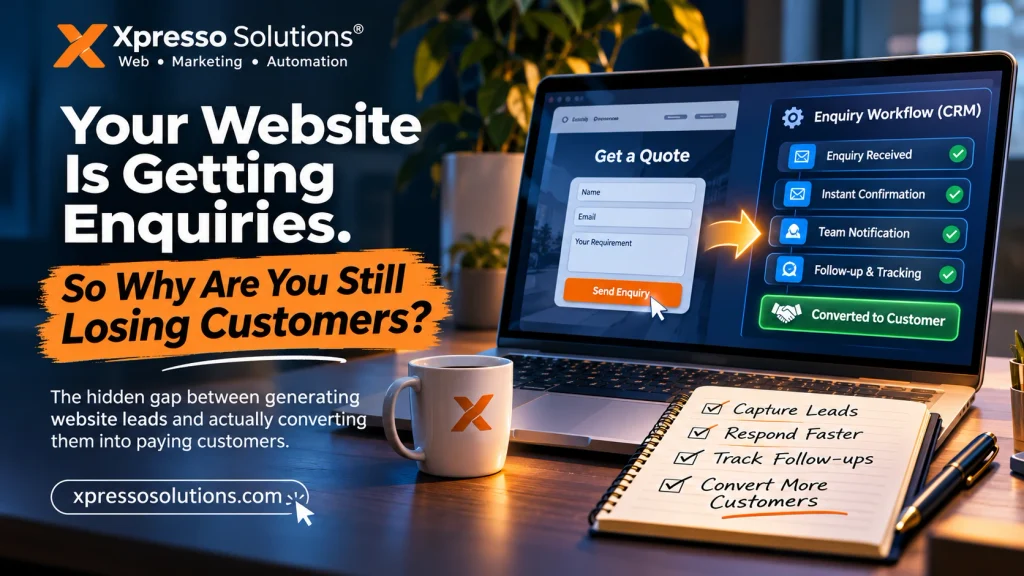
Your Website Is Getting Enquiries. So Why Are You Still Losing Customers?
The hidden gap between generating website leads and actually converting them into paying customers
A business owner invests in a website. Someone runs Google Ads. A few visitors arrive, explore the services and submit an enquiry form.
Everything appears to be working.
But there is a problem.
Nobody checks the enquiry until the next morning. The notification goes to an email address nobody monitors. A WhatsApp message gets buried under dozens of conversations. Another potential customer calls a competitor.
The business concludes that its website isn’t generating enough business.
But what if the website isn’t the problem?
What if the real problem starts after someone clicks the contact button?
This is one of the most overlooked problems in small-business digital marketing: the gap between lead generation and lead management.
At Xpresso Solutions, we believe a business website should do more than attract visitors. It should become part of a functioning customer acquisition system.
Let’s examine why this distinction matters and how businesses can fix it.
1. A website can succeed technically and fail commercially
Most website projects are evaluated using familiar criteria:
- Does the website look professional?
- Does it work on mobile devices?
- Does it load quickly?
- Are the contact forms working?
- Does it appear on Google?
These are important questions, but they don’t answer the most commercially important one:
Can a potential customer move from discovering your business to becoming a paying customer without unnecessary friction?
Consider a hypothetical local service business.
It receives 500 website visitors every month. Twenty visitors submit enquiries.
That represents a 4% enquiry rate.
However:
- Five enquiries receive no response.
- Seven receive a response several hours later.
- Four receive a generic reply without a clear next step.
- Four have meaningful conversations with the business.
The website generated 20 enquiries, but the business only handled a fraction effectively.
The problem isn’t necessarily traffic, design or SEO. It’s the system behind the website.
2. The invisible cost of responding too late
Customer interest is not permanent.
When someone visits a website and requests a quotation, they are expressing interest at that particular moment. They may be comparing multiple providers, working within a deadline or trying to solve an immediate problem.
Every unnecessary delay creates another opportunity for that interest to disappear.
Research published in Harvard Business Review in 2011 examined how companies responded to web-generated enquiries. Its audit of 2,241 US companies found that many businesses responded slowly or never responded at all.
A separate 2007 Lead Response Management study, based on more than 15,000 leads, examined how response delays affected contact and qualification rates. It found substantial differences between contacting leads within five minutes and waiting 30 minutes.
These studies have limitations: they are older, based on particular datasets and do not guarantee the same results for every Indian business. Nevertheless, they highlight an important operational lesson.
Generating an enquiry is only the beginning. Responding to it is part of the conversion process.
3. Your contact form should not be the end of the customer journey
Think about a typical contact form.
A visitor enters:
- Name
- Email address
- Phone number
- Service required
- Message
They press Submit.
What happens next?
In many small businesses, the answer is simply an email notification.
This is where a better website architecture can make a difference.
Instead of treating the form as an isolated feature, connect it to a simple enquiry workflow.
A practical workflow could look like this:
Step 1: Enquiry received
The website captures the customer’s information and the service they are interested in.
Step 2: Immediate acknowledgement
The customer receives a confirmation explaining that their enquiry has been received.
Step 3: Business notification
The owner or sales team receives an alert through an appropriate channel, such as email or WhatsApp.
Step 4: Lead recording
The enquiry is stored in a central location, such as a CRM or structured lead database.
Step 5: Follow-up
A team member contacts the customer, records the conversation and updates the enquiry status.
Step 6: Conversion tracking
The business records whether the enquiry became a quotation, appointment or sale.
This doesn’t require an expensive enterprise platform. A properly configured WordPress website, a suitable CRM and automation tools can provide a practical starting point.
4. The five stages of a website lead leakage problem
Businesses often measure how many leads they generate without measuring where those leads disappear.
Here is a more useful way to examine the problem.
| Stage | Common failure | Practical solution |
|---|---|---|
| Discovery | Wrong audience visits | Improve targeting and SEO |
| Enquiry | Confusing contact process | Simplify forms and CTAs |
| Notification | Nobody sees the enquiry | Configure reliable alerts |
| Follow-up | Delayed response | Establish response ownership |
| Conversion | No next step | Use structured sales follow-up |
A weakness at any one of these stages can reduce the commercial value of the entire website.
This is why spending more money on advertising isn’t always the correct first move.
Sometimes the better investment is fixing the process that handles the traffic you already have.
5. Build a website that works with your business, not separately from it
A modern business website should be designed around the way the business actually operates.
For example, consider three different businesses.
A real estate consultant
A property enquiry form should capture the preferred location, budget, property type and contact details.
This allows the consultant to understand the requirement before making the first call.
A local service provider
A plumbing, electrical or repair business may need a prominent mobile-friendly calling option, WhatsApp contact and a simple service request form.
Making customers complete a lengthy form can create unnecessary friction.
A professional services company
A digital agency, consultant or accounting firm may benefit from a structured project enquiry form that captures business type, requirements, estimated budget and expected timeline.
The objective isn’t to collect as much information as possible.
It is to collect the information that makes the next conversation more useful.
6. Automation should remove delays, not make businesses sound robotic
Automation is often misunderstood.
Some businesses assume it means sending automated messages to every customer and replacing personal communication.
That isn’t the objective.
Good automation handles repetitive administrative work so people can focus on conversations that require judgement.
Useful examples include:
- Sending an immediate enquiry confirmation.
- Notifying the responsible employee.
- Adding new enquiries to a CRM.
- Assigning leads according to service category.
- Sending a reminder when an enquiry hasn’t been reviewed.
- Recording the source of each enquiry.
- Updating the status of a lead.
For WordPress websites, these workflows can be implemented using appropriate form integrations, CRM connections, webhooks and automation platforms.
Tools such as n8n can connect different services and automate workflows without requiring every process to be developed from scratch.
However, automation needs sensible safeguards. Messages should be relevant, customer information should be protected, and failed integrations should not silently discard enquiries.
7. Measure the numbers that actually matter
Website traffic is useful, but traffic alone doesn’t tell you whether your website is helping the business grow.
Start measuring these six indicators:
1. Visitor-to-enquiry rate
How many visitors submit a genuine enquiry?
2. Enquiry response time
How long does it take for someone from your business to respond?
3. Contact rate
How many enquiries result in an actual conversation?
4. Qualified lead rate
How many enquiries come from potential customers who fit your services?
5. Lead-to-customer conversion rate
How many qualified enquiries become paying customers?
6. Customer acquisition cost
How much does the business spend on marketing and sales to acquire one customer?
These measurements help distinguish a traffic problem from a website conversion problem or a sales follow-up problem.
A simple example: Understanding the economics
Let’s assume a business receives 30 enquiries every month.
The following figures are illustrative, not industry benchmarks.
| Metric | Scenario A | Scenario B |
|---|---|---|
| Monthly enquiries | 30 | 30 |
| Successfully contacted | 15 | 27 |
| Customers acquired | 3 | 6 |
| Average customer value | ₹10,000 | ₹10,000 |
| Monthly revenue | ₹30,000 | ₹60,000 |
The second scenario produces twice the revenue without increasing website traffic or advertising expenditure.
The difference is the effectiveness of the enquiry-handling process.
Actual results depend on lead quality, pricing, competition, service quality and sales execution. Better follow-up alone cannot guarantee additional sales.
Nevertheless, it is an opportunity worth measuring before increasing the marketing budget.
8. A practical website enquiry audit you can do today
You don’t need a developer to begin identifying problems.
Try this simple exercise.
- Open your website on your mobile phone.
- Visit the contact page as if you were a first-time customer.
- Submit a genuine test enquiry.
- Record how long it takes for the business to receive the notification.
- Check whether the customer receives a confirmation.
- Verify whether the enquiry reaches the correct person.
- Check whether the enquiry is recorded somewhere accessible.
- Identify who is responsible for following up.
- Check whether the process can be measured from enquiry to sale.
Repeat the exercise using your website’s WhatsApp button, telephone number and other important contact channels.
Don’t assume something works just because it looks correct on the screen.
Test the entire journey.
9. What businesses should expect from a professional website developer
A website developer shouldn’t only ask how many pages you need or which colours you prefer.
They should also understand what the website needs to accomplish.
Before starting a project, discuss:
- Who is the intended customer?
- What action should visitors take?
- What information should enquiry forms capture?
- Where should enquiries be delivered?
- Who will handle incoming leads?
- Are CRM or automation integrations necessary?
- How will website performance and conversions be measured?
- Who owns the website, domain and administrator accounts?
These questions help prevent the common mistake of building a website that looks complete but doesn’t support the business’s actual workflow.
A website should be an asset the business can operate, maintain and improve over time.
Conclusion: Stop measuring your website only by the traffic it receives
A website doesn’t create business value simply because it exists or attracts visitors.
Its real value comes from helping the right people discover your business, understand your services, make contact and take the next step.
If your business is investing in SEO, Google Ads, social media or website development, don’t overlook what happens after a visitor submits an enquiry.
You might not need another advertising campaign.
You might need a better system for handling the opportunities you already receive.
At Xpresso Solutions, we help businesses build professional digital experiences with WordPress website development and practical digital solutions designed around business requirements.
If your website looks good but isn’t generating the business outcomes you expected, it may be time to examine the entire customer journey.
Build a website that does more than exist. Build one that works for your business.
Explore Xpresso Solutions at https://xpressosolutions.com/ and discuss your next website project with our team.
Frequently Asked Questions
Why does my website get traffic but no customers?
Possible reasons include attracting the wrong audience, unclear service information, weak calls to action, complicated enquiry forms, poor mobile usability or ineffective follow-up processes. Review the entire customer journey before increasing advertising expenditure.
How quickly should a business respond to website enquiries?
As a practical operational target, aim to acknowledge an enquiry immediately and have a responsible team member review it as soon as possible during business hours. Five minutes can be a useful internal response target, but it is not a universal guarantee of conversion.
Can WordPress automate website enquiries?
Yes. WordPress can integrate with CRMs, email platforms, WhatsApp services and automation tools through plugins, APIs and webhooks. The right implementation depends on the business workflow and privacy requirements.
Do small businesses need a CRM?
Not necessarily a complex one. Even a simple system that records customer details, enquiry dates, follow-up status and outcomes can improve visibility and accountability.
Should I spend more on Google Ads if my website isn’t converting?
Not automatically. First investigate traffic relevance, landing-page quality, form functionality, response times and sales follow-up. Increasing advertising spend before fixing these issues can increase costs without solving the underlying problem.